
Message students and post announcements
Send a private message, message many students at once, or post an announcement.
-
1
My students
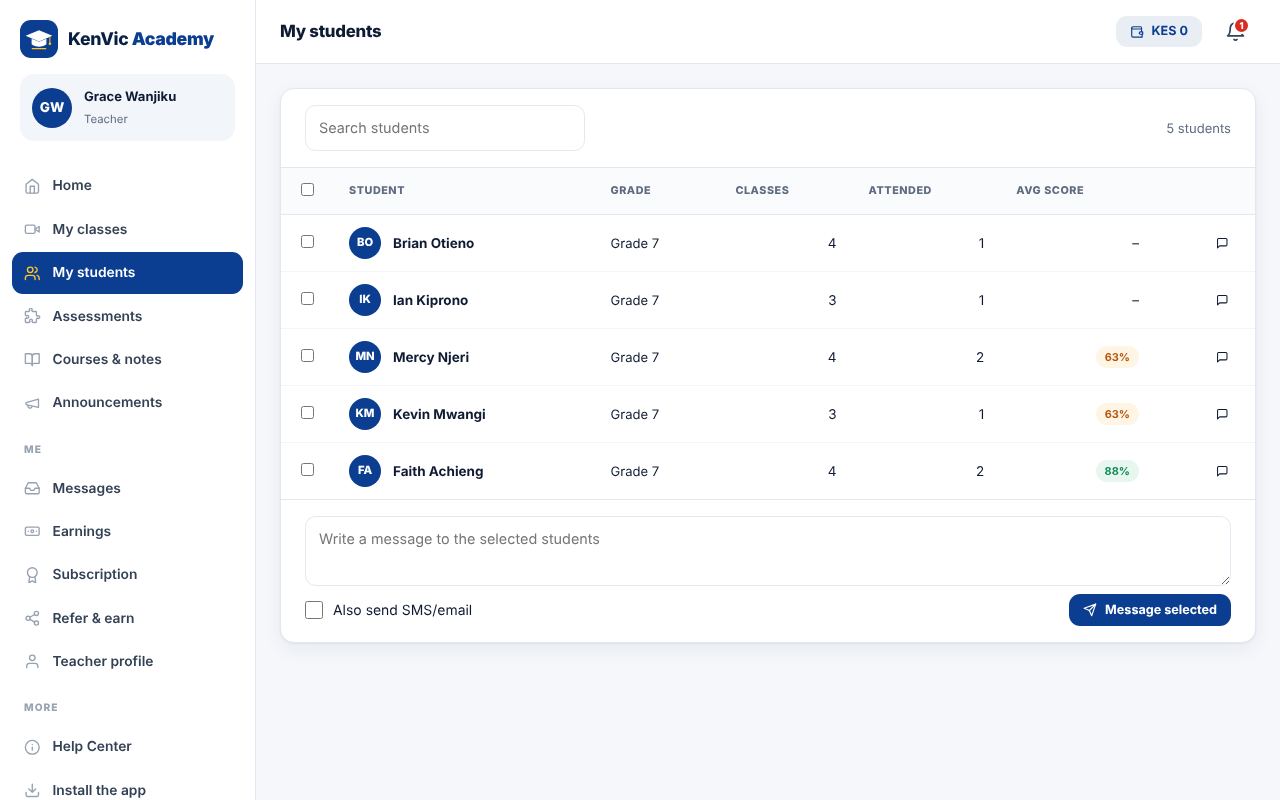
Open My students to see everyone who has booked your classes, with attendance and average score.
-
2
Message
Tick students and tap "Message selected", or open a student and tap Message. Replies come to your Messages.
-
3
Announcements
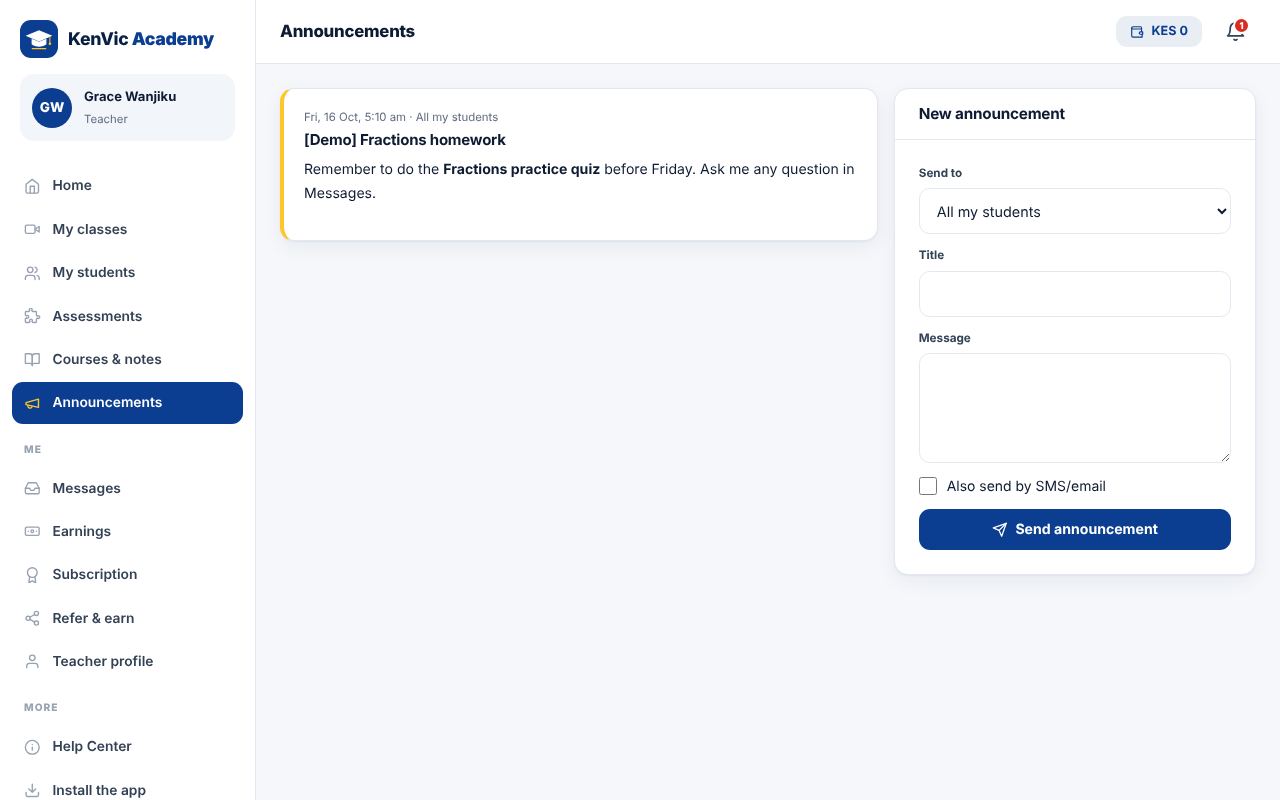
Use Announcements to post to all your students, one class, or one grade. Tick "Also send SMS/email" for important news.
Did this help? If not, send us a message or WhatsApp us.