
Schedule a class and set your price
Create a one-off class or a Monday to Friday series, set a price or make it free, and share the invite.
-
1
New class
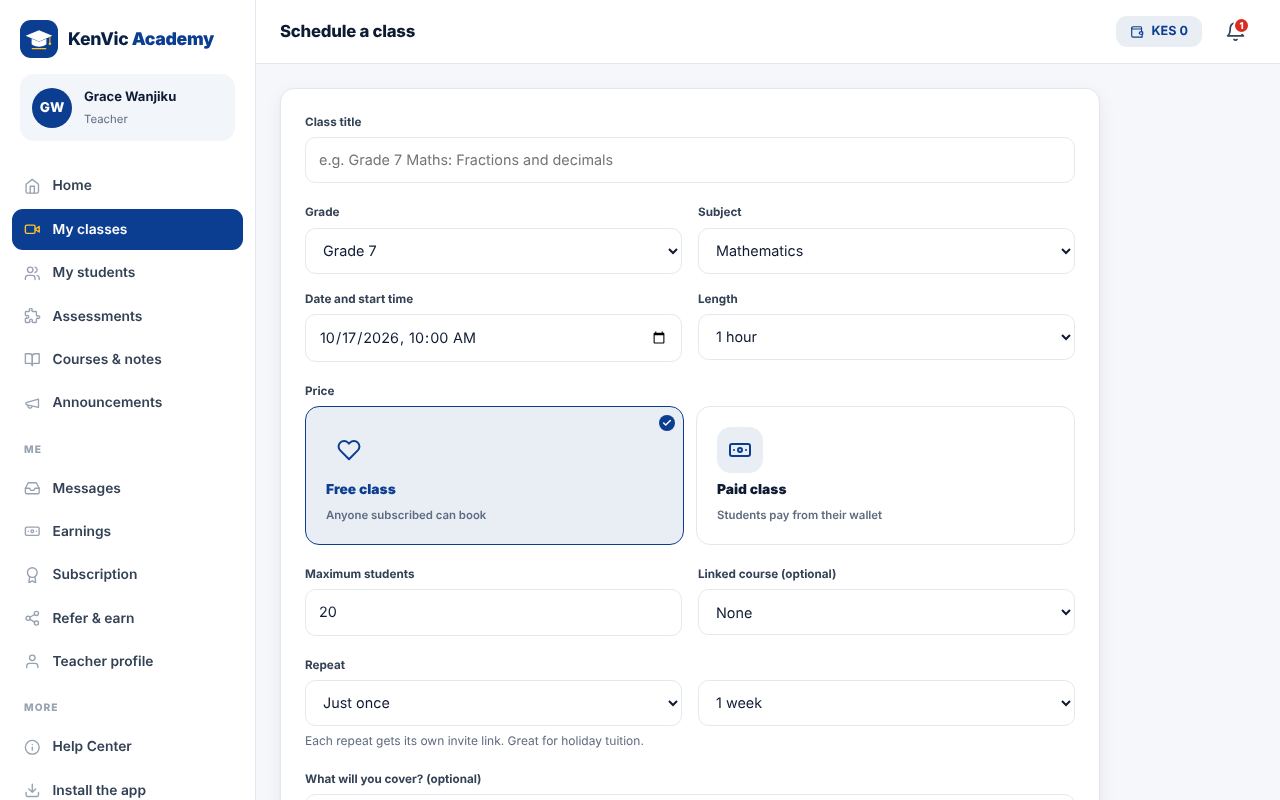
Go to My classes and tap "Schedule a class". Add a title, grade, subject, date, time and length.
-
2
Price
Choose Free or Paid and type your price in KES. Students pay from their wallet. You receive your earnings, less the platform fee, after the class ends.
-
3
Repeat
For holiday tuition choose "Every weekday (Mon to Fri)" and the number of weeks. KenVic creates each class with its own invite link.
-
4
Share the invite
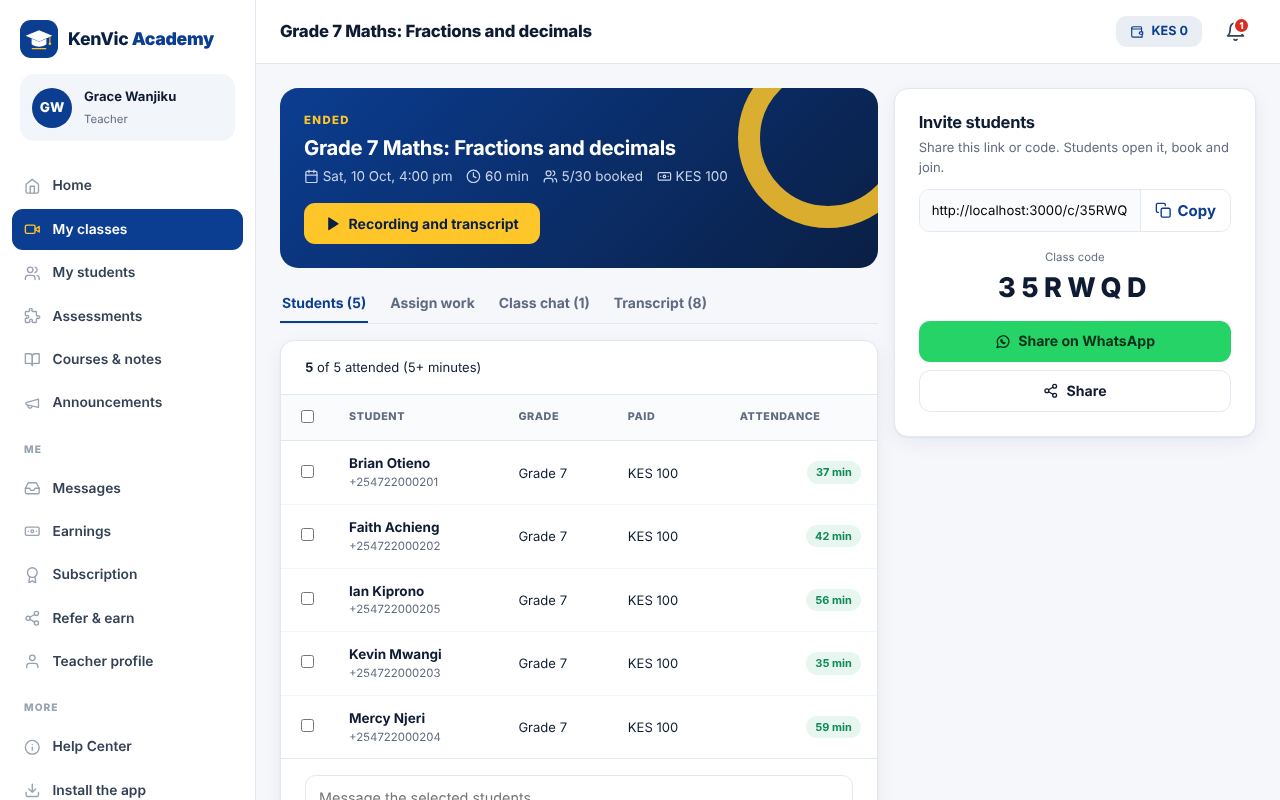
Open the class and use "Share on WhatsApp" or copy the link or code. Students who open it can book their seat.
Did this help? If not, send us a message or WhatsApp us.