
Create quizzes, tests and games
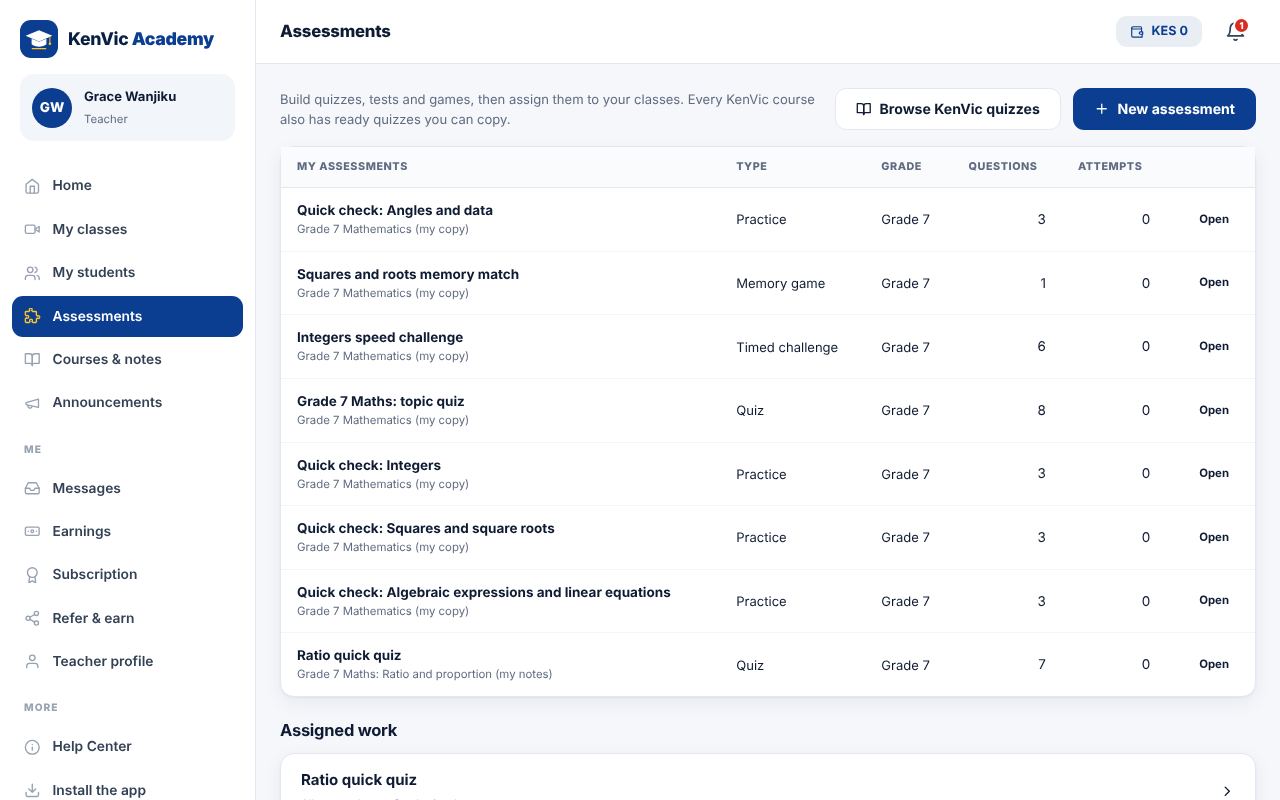
Build assessments with 7 question types, or copy and edit a ready-made KenVic quiz.
-
1
New assessment
Go to Assessments and tap "New assessment". Choose the type: Quiz, Test, Timed challenge, Memory match game or Practice. Set a time limit and pass mark.
-
2
Add questions
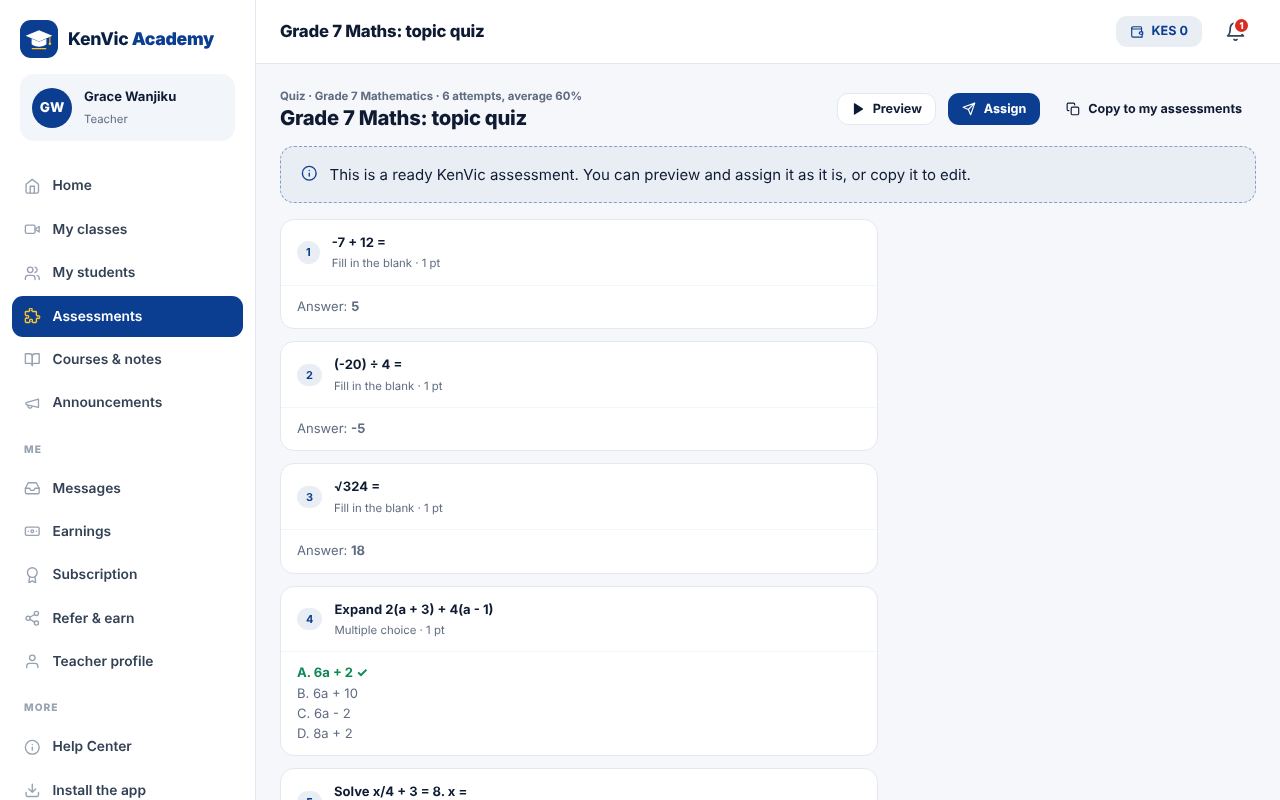
Pick a question type: multiple choice, true or false, fill in the blank, match the pairs, put in order, unscramble the word or short answer. Add an explanation so students learn from mistakes.
-
3
Preview
Tap Preview to try it exactly as a student would.
-
4
Use ready content
Every KenVic course already has quizzes and games. Open one and tap "Copy to my assessments" to edit your own version.
Did this help? If not, send us a message or WhatsApp us.