
Assign work and see results
Give a quiz to one class or all your students, set a due date and see every score.
-
1
Assign
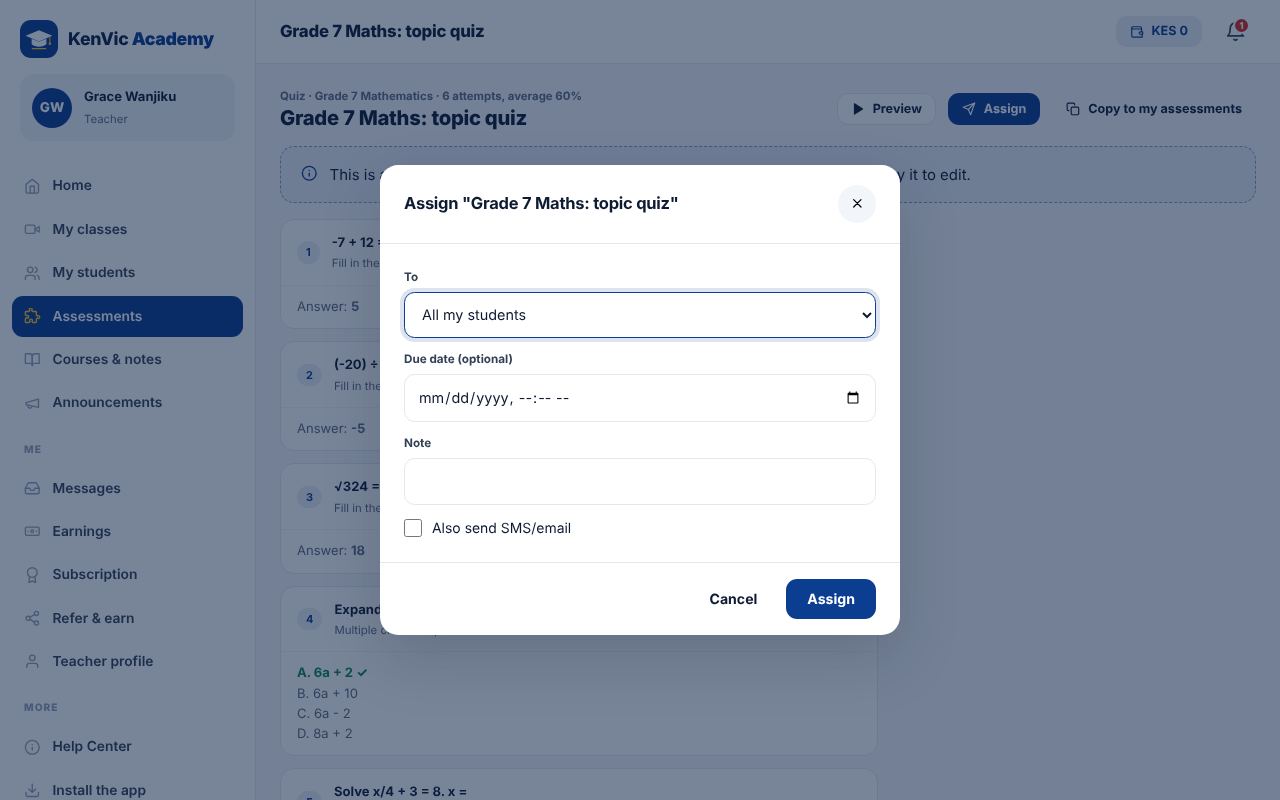
Open an assessment and tap Assign. Choose a class or all your students, add a due date and a note, and tick "Also send SMS/email" if you want.
-
2
Results
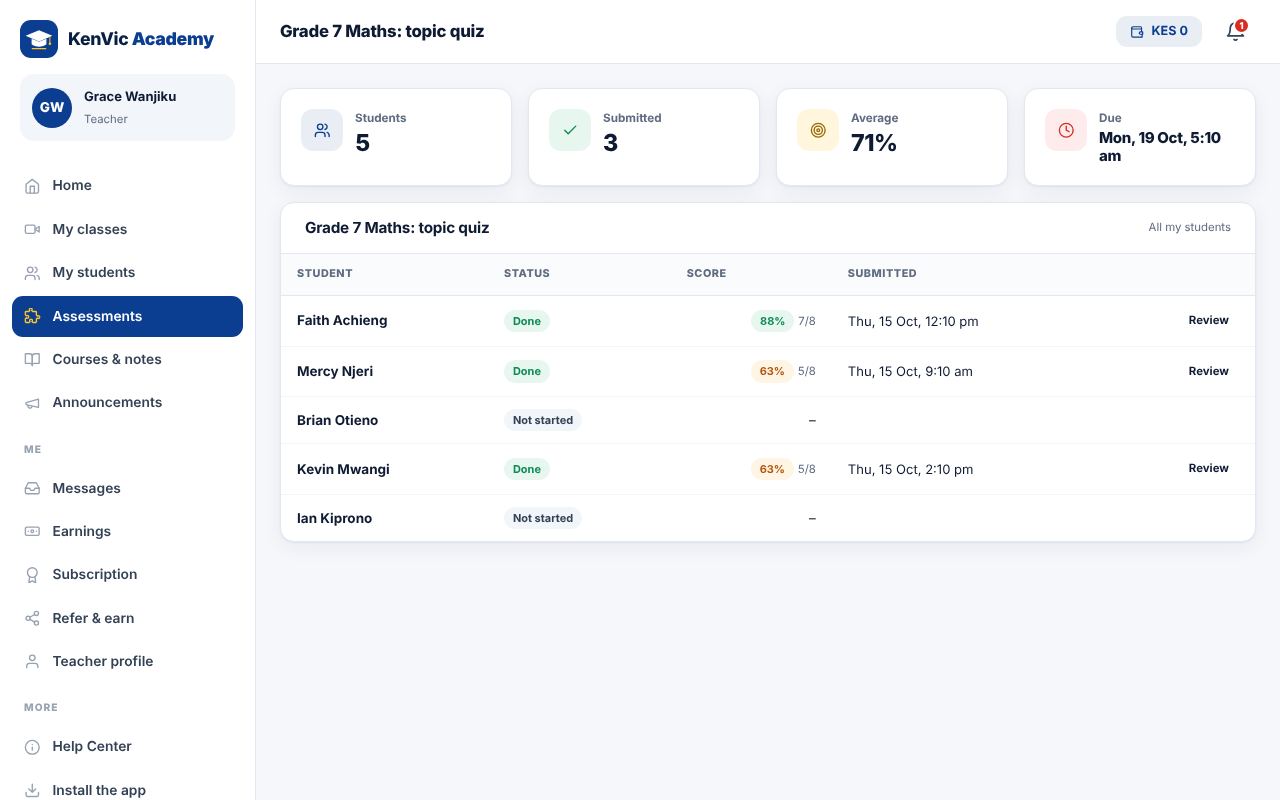
The results page shows who has done it, their scores and who has not started. Mark short answers and add feedback.
-
3
Reminders
Students who have not finished get a reminder before the due date.
Did this help? If not, send us a message or WhatsApp us.