
Add your own notes and courses
Create a course, write lessons, attach PDFs or videos, and add quizzes under each lesson.
-
1
Courses and notes
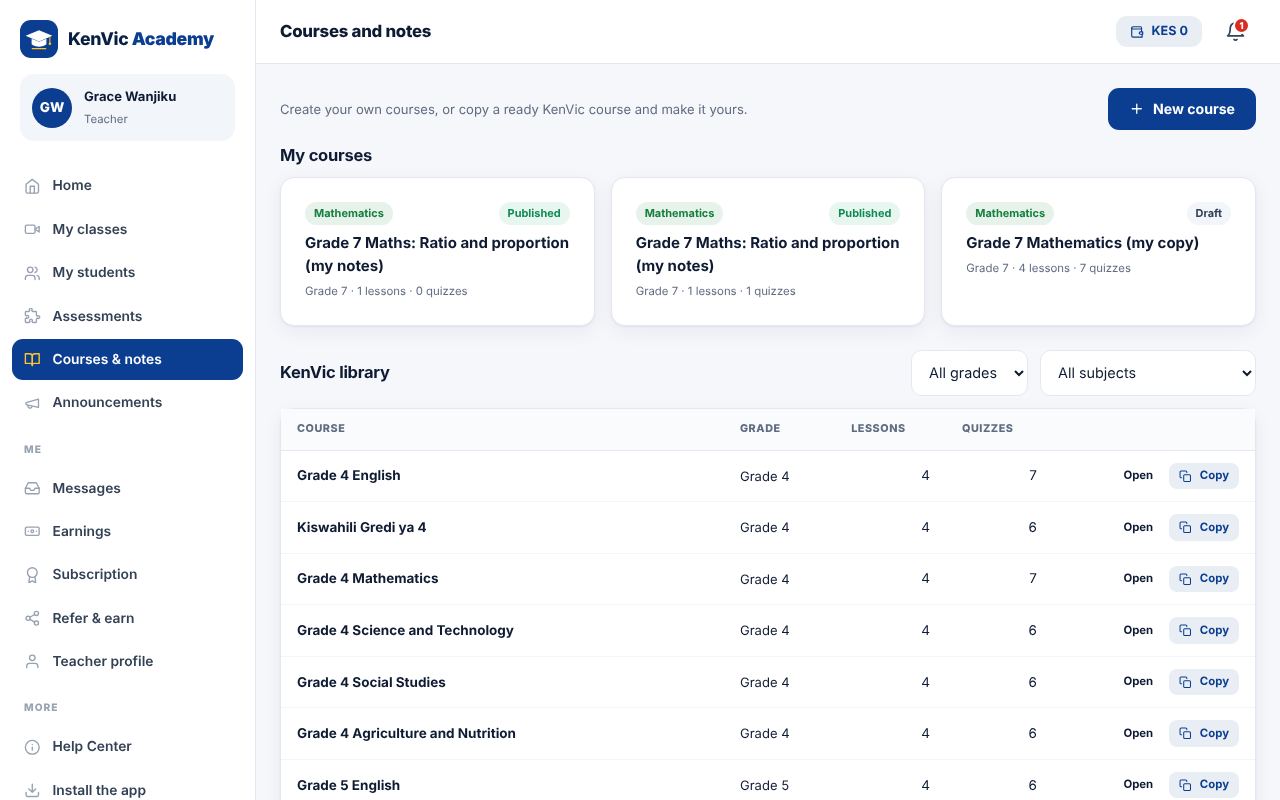
Open Courses and notes. Create a new course, or copy a ready KenVic course to edit.
-
2
Write lessons
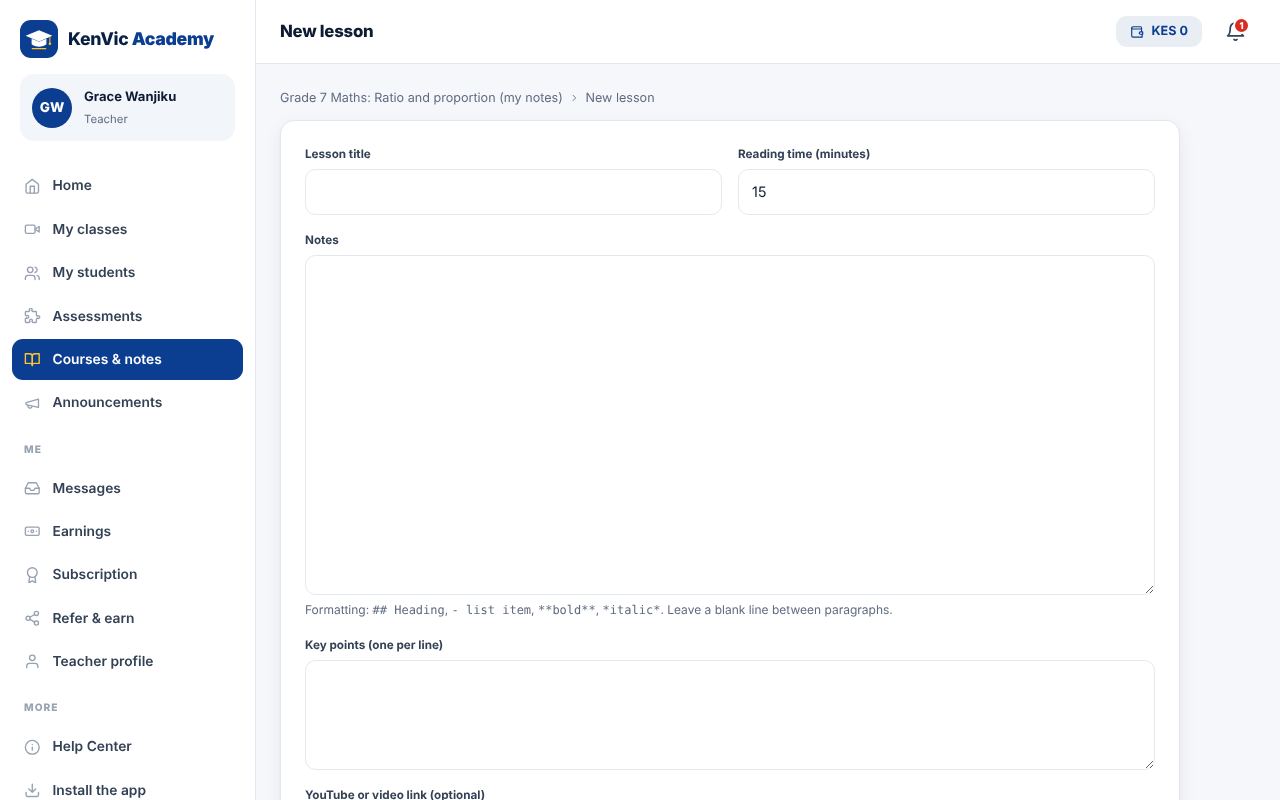
Add lessons with notes, key points, a YouTube link and a file such as a PDF. Use ## for a heading, - for a list and **bold** for important words.
-
3
Publish
Tick Published to show the course on your public profile and to your students.
Did this help? If not, send us a message or WhatsApp us.