
Study notes and track lessons
Open a course for your grade, read the lesson notes, watch the video and mark lessons done.
-
1
Open My courses
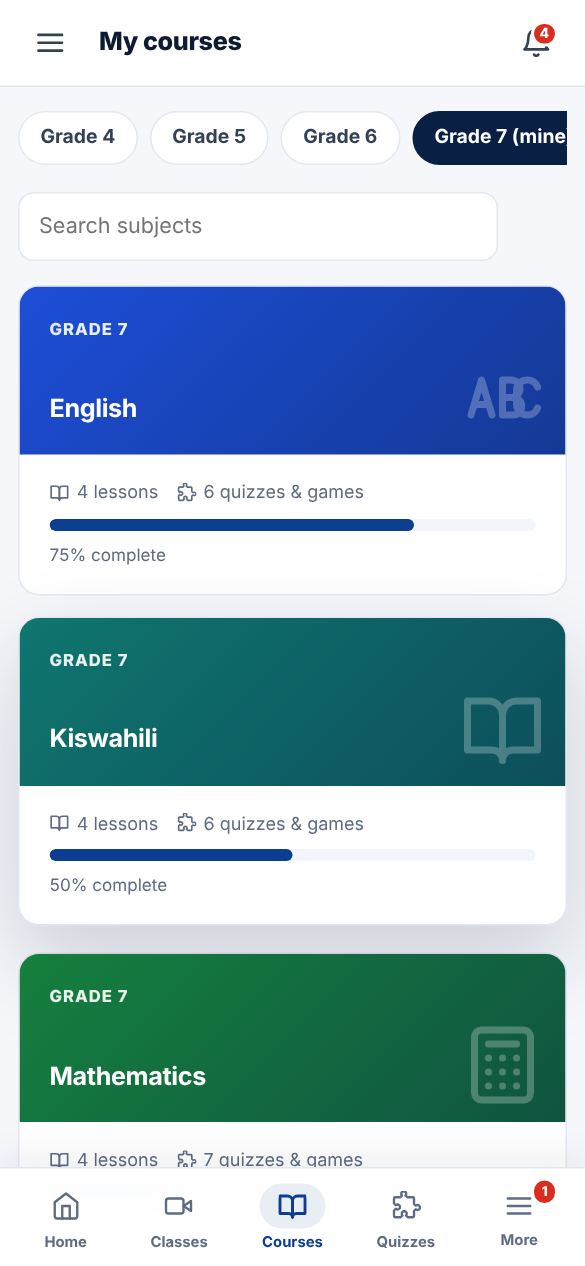
Tap Courses. You will see every subject for your grade with a progress bar. Use the grade chips to look at other grades.
-
2
Read a lesson
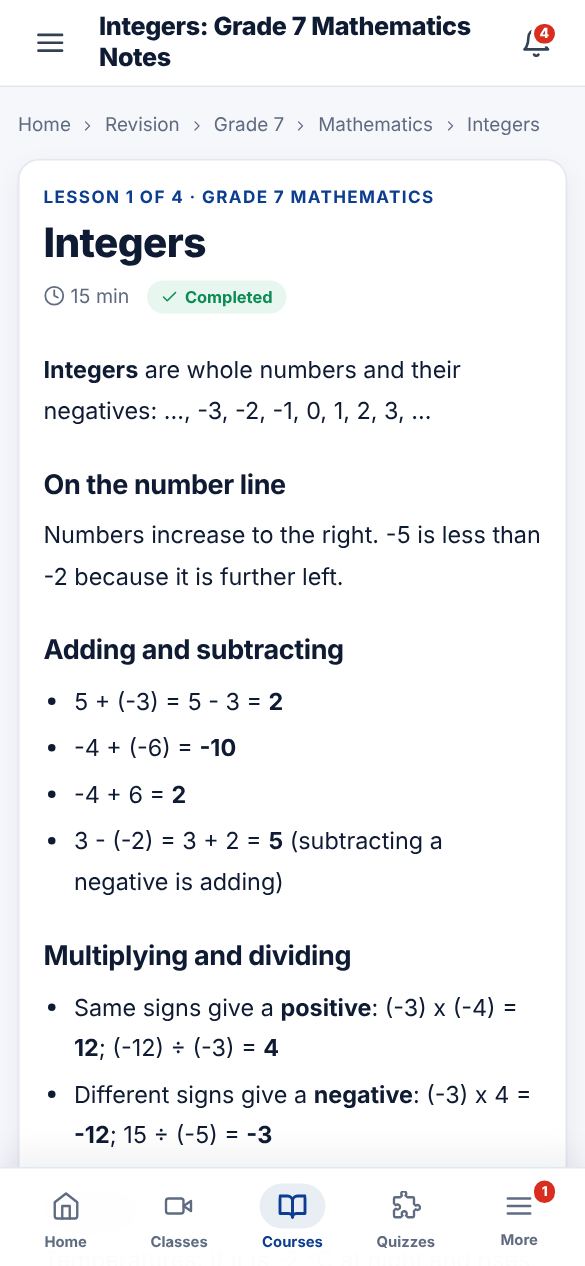
Each lesson has notes, key points to remember and sometimes a video or a file from the teacher. Read through, then try the quick quiz under the lesson.
-
3
Mark it complete
Tap "Mark lesson complete" at the bottom. Your course progress and study streak go up.
Did this help? If not, send us a message or WhatsApp us.