
Find your way around the student dashboard
What each part of your dashboard does: classes, courses, quizzes, progress, messages and wallet.
-
1
Home
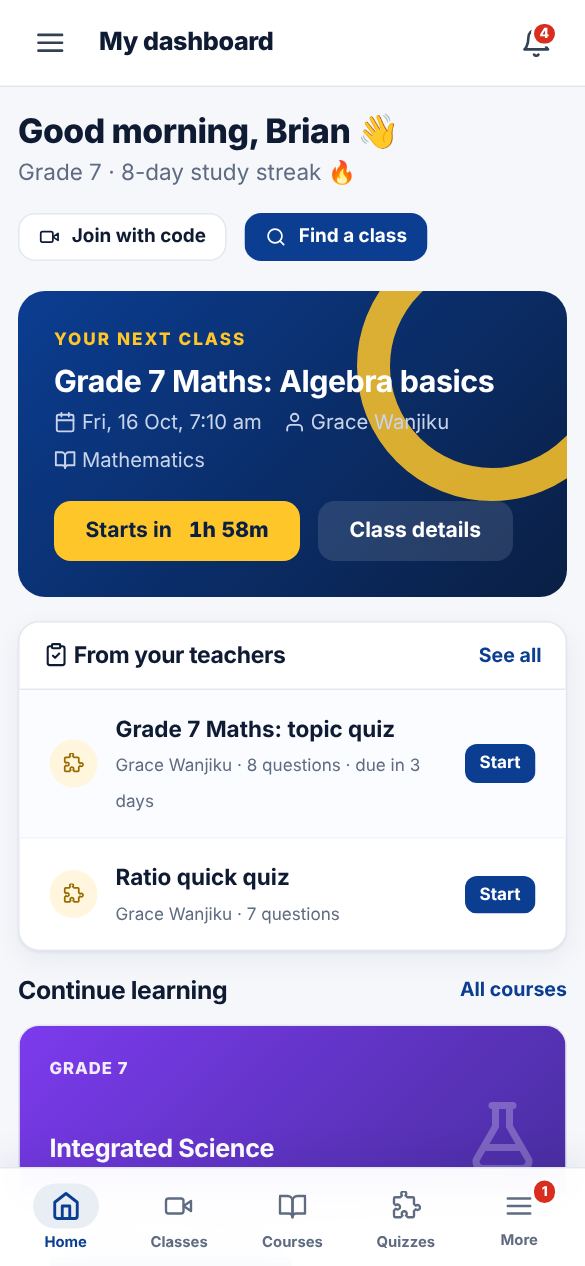
Shows your next live class with a countdown, quizzes your teachers set, courses to continue, your study streak and announcements.
-
2
Menu
On a phone, use the bar at the bottom: Home, Classes, Courses, Quizzes and More. "More" opens the full menu with Messages, Wallet, Subscription, Refer and earn and Profile.
-
3
Notifications
The bell at the top shows class reminders, new quizzes, results and messages from teachers.
Did this help? If not, send us a message or WhatsApp us.