
Watch recordings and read class transcripts
Missed a class or need to revise? Every class you booked has its recording, transcript and notes.
-
1
Open past classes
Go to Classes > Past classes and tap "Recording and notes".
-
2
Watch and search
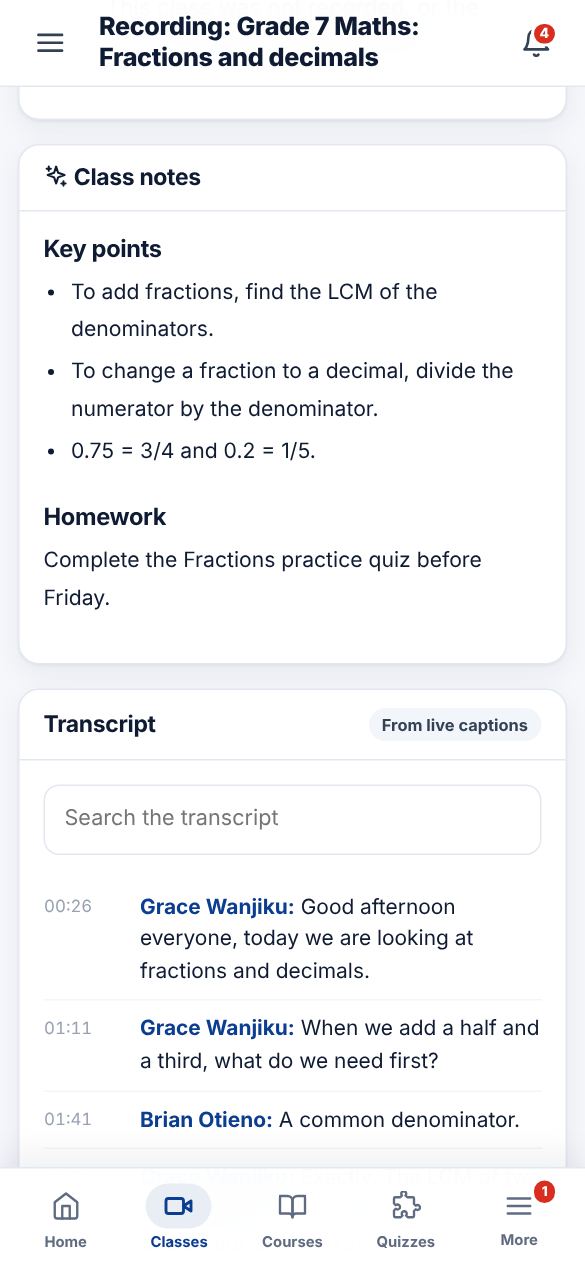
Play the recording, read the class notes and search the transcript for any word. Tap a line to jump to that part of the recording.
-
3
Download
Tap "Download transcript" to save the notes as a text file for offline revision.
Did this help? If not, send us a message or WhatsApp us.