
Load your wallet and pay for classes
Top up your KenVic wallet with M-Pesa and use it for class fees and your subscription.
-
1
Open Wallet
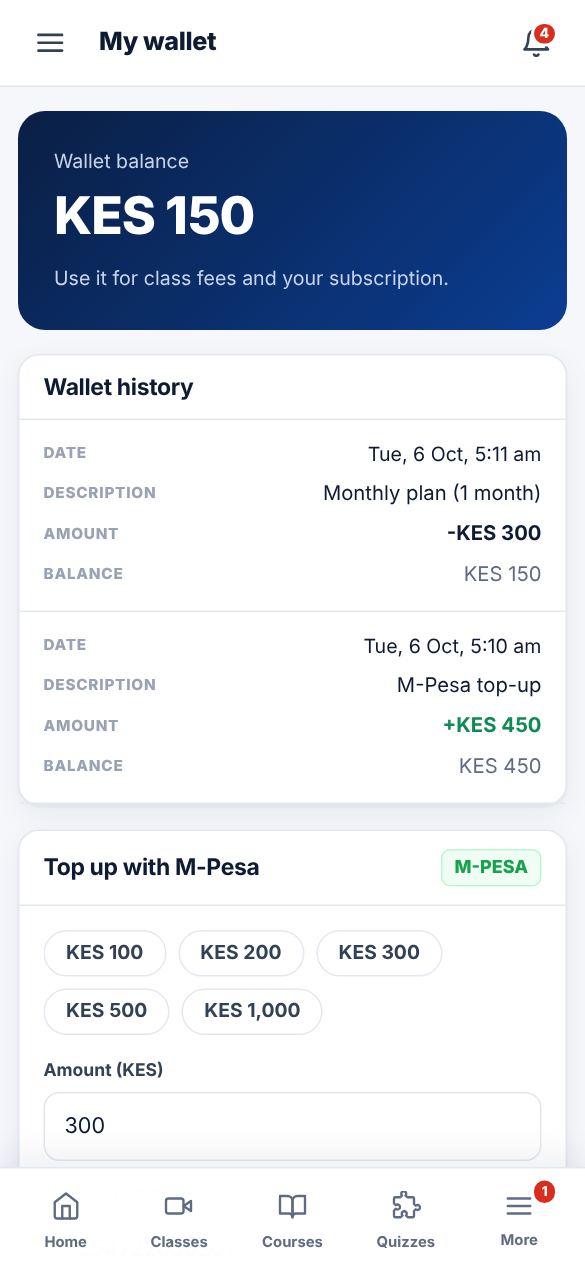
Tap Wallet in the menu. You can see your balance and every top-up and payment.
-
2
Top up
Enter an amount (minimum KES 50) and your M-Pesa number, tap "Top up with M-Pesa" and enter your PIN on your phone.
-
3
Receipts
Every M-Pesa payment has a receipt you can open and print from the wallet page.
Did this help? If not, send us a message or WhatsApp us.